How to Set the Oil Cooler Temperature
Caution!
If it is set lower than the recommended temperature (factory default), the motor runs for a long time, and the motor may burn out or the equipment may overheat severely, damaging the system. If it is set higher than the optimum temperature, the oil cannot be cooled in time, which may damage the unit or cylinder. We are not responsible for problems caused by arbitrarily changing the set temperature.
Donam oil coolers are test-run before shipment and are shipped set to the recommended cooler temperature of 40℃, so there is no need to set them separately.
How to set the temperature
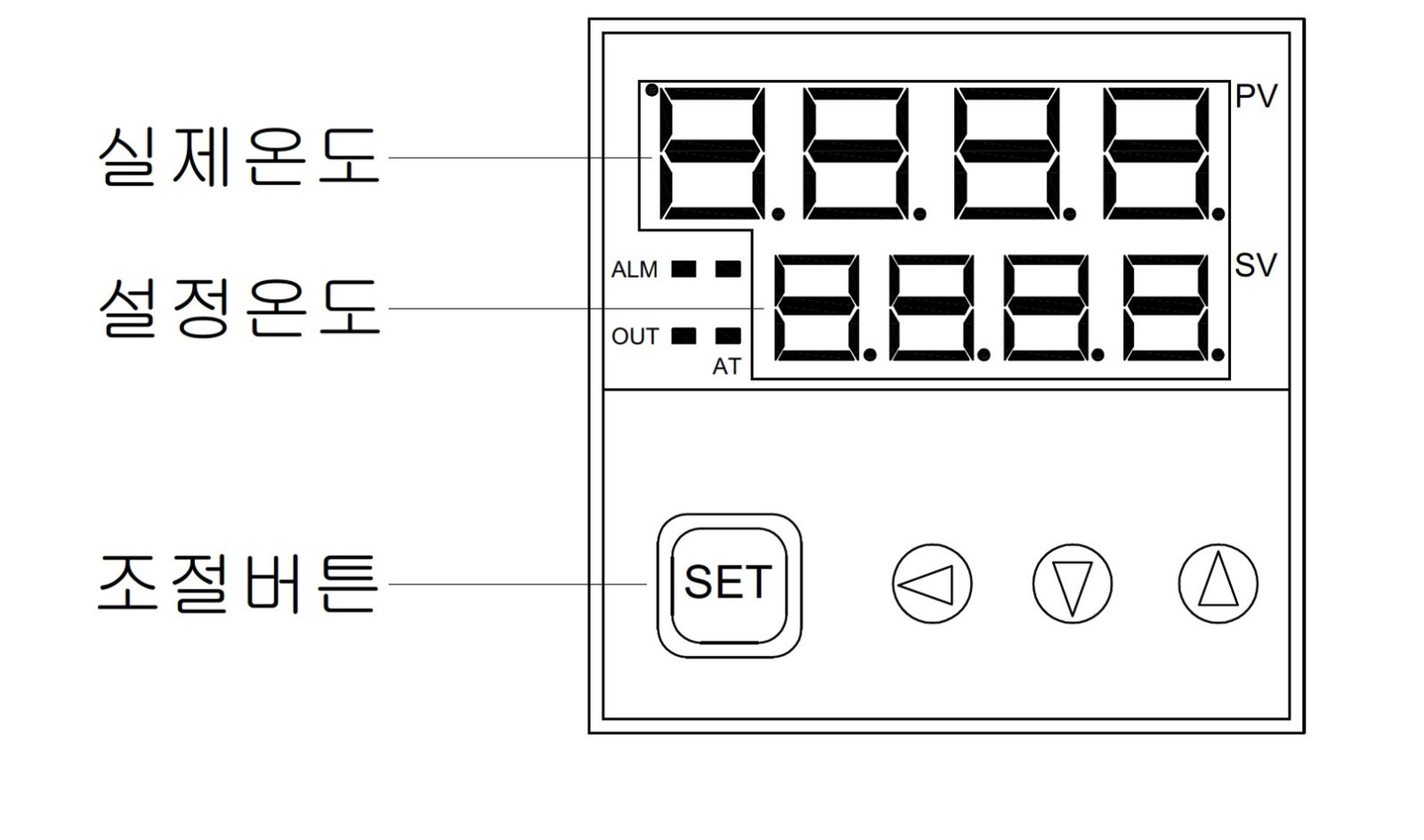
① Press the SET button on the controller once.
② When the set temperature digits blink, the temperature can be set.
③ Use the ▽ and △ buttons to raise or lower the temperature.
④ While watching the set temperature display, press the SET button once more when you have finished setting the desired temperature.
⑤ When the set temperature stops blinking, the setting is complete.